Skip to content

Runsten on your phone

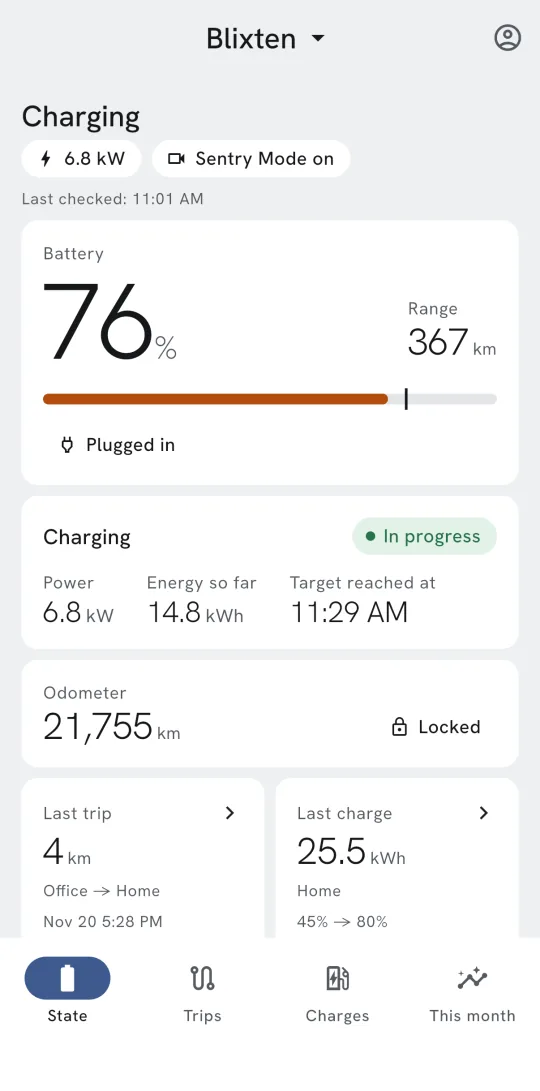
The app shows your car’s battery, its trips and its charges with what they cost. Its widgets and CarPlay show the battery without opening it.

iPhone, iPad and Android

Coming soon to the App Store and Google Play

Apple and Google are reviewing the app. Create your account now: the app signs in to it.
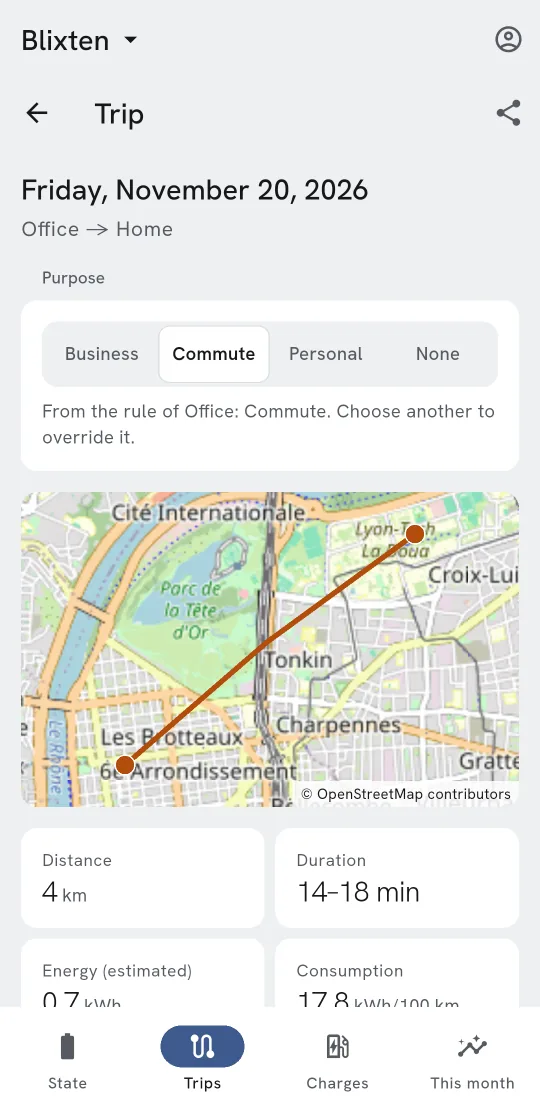
Every trip, its route and its costYour electric car, right now

The app, screen by screen

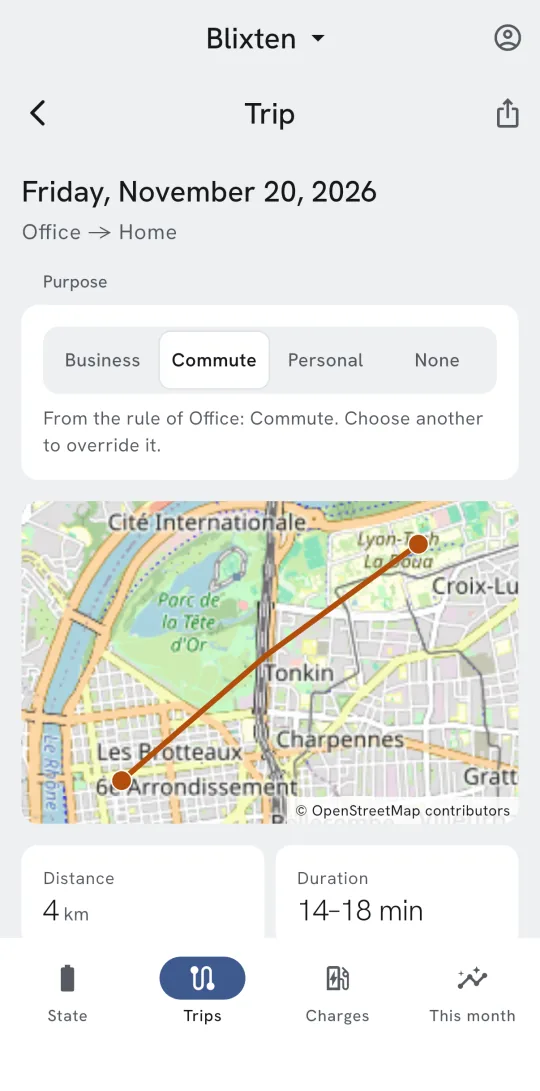
The same app on an iPhone, an iPad and an Android phone, in eight languages.
  • Your electric car, right now
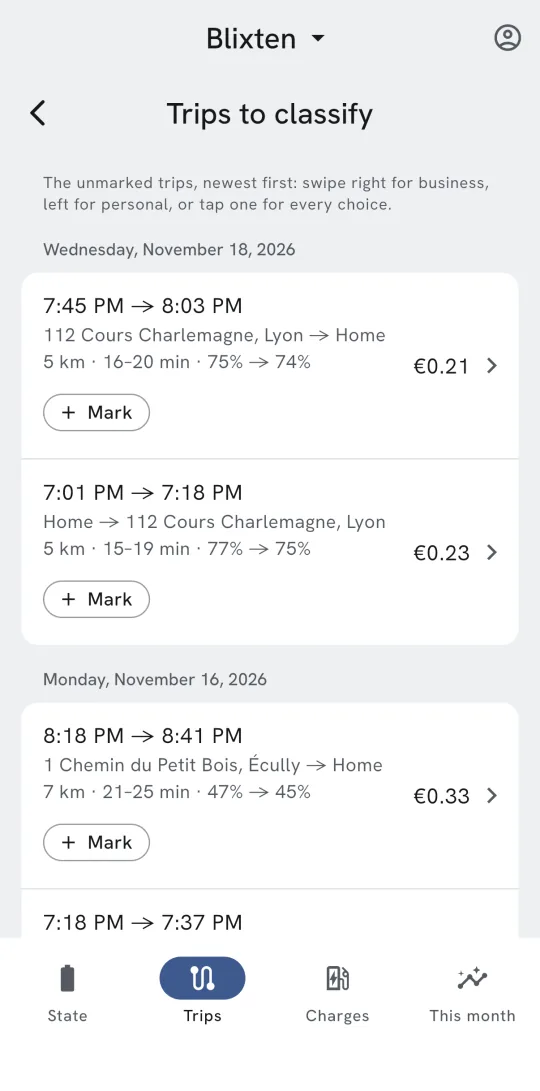
  • Every trip, its route and its cost
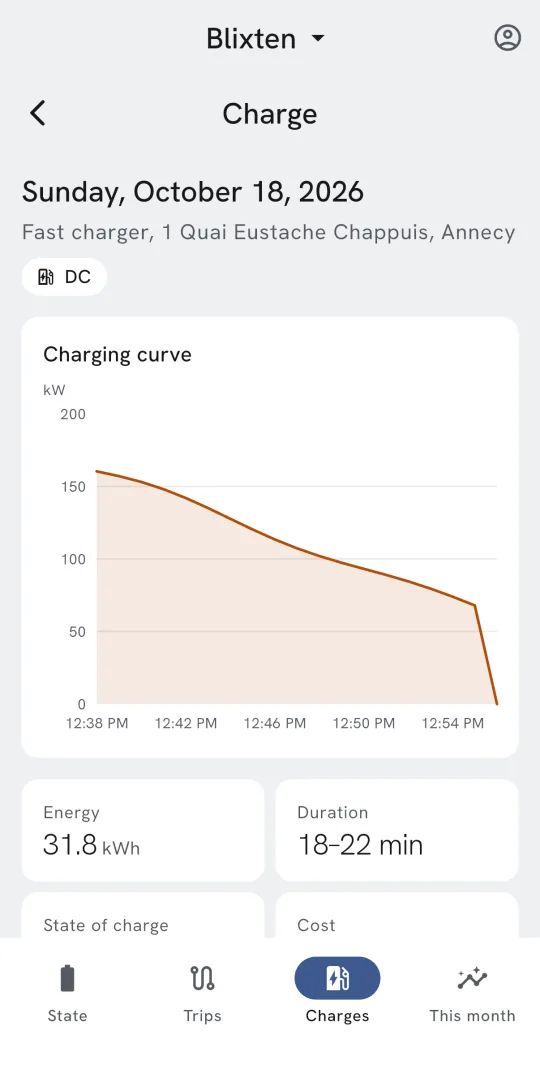
  • Every charge, its curve and its cost
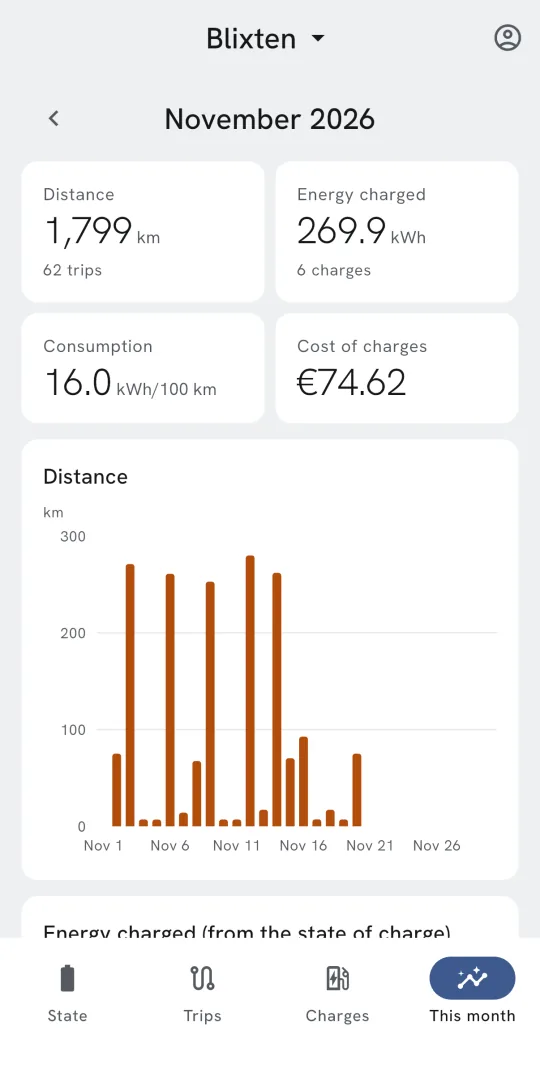
  • Your month at a glance
  • Mark your trips: business, commute, personal

What it shows

Your car, right now

  • Battery, range and odometer, with when they were last read
  • Locked or not, plugged in or not
  • The charge in progress: its power, the energy so far, when the battery will be full

Every trip

  • Distance, consumption, energy and cost
  • Its route on a map
  • Mark it business, commute or personal, for your mileage records

Every charge

  • Energy, average power and charging curve
  • What it cost, from your tariffs, off-peak hours included

The month at a glance

  • Distance, energy charged, consumption and cost of charges, day by day

A Tesla’s controls

With Plus on my.runsten.app, a Tesla’s home in the app shows its controls, as pills that say their state. Tap one to change it.

  • The climate, on or off, and its temperature
  • The charge limit
  • Start or stop charging, while the cable is in
  • Lock or unlock
  • Wake it up while it sleeps

Unlocking, locking and waking it up ask you first. A command waits up to a minute, the time the car takes to wake up. Signed in to your own instance, or for another make, the app shows no controls.

Without opening the app

The battery and the charge of your car, where you look anyway.

iPhone, iPad and Android
Widgets

  • On the Home Screen of an iPhone or an iPad, small or medium, and on the Lock Screen
  • On Android, one widget on the home screen, small or wide
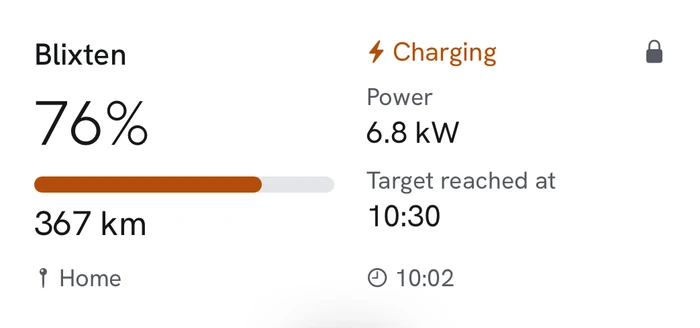
  • The battery, the range and the charge in progress, with the car’s picture: the car chosen in the app, or the one you pick
  • Where the car is, one of your places or its street and town, and whether it is locked
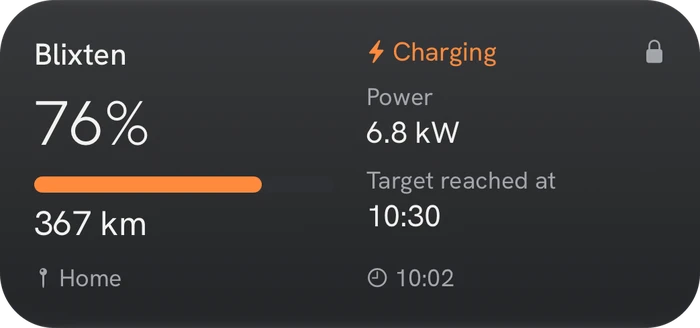
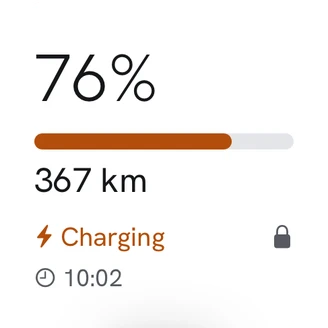
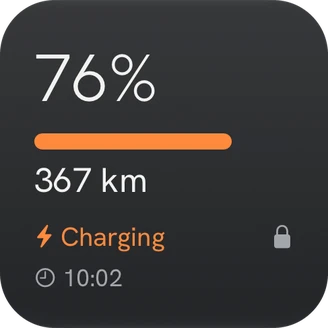
The medium and small widgets on an iPhone’s Home Screen: Blixten charging at home, at 76% and 367 km.The medium and small widgets on an iPhone’s Home Screen: Blixten charging at home, at 76% and 367 km.

iPhone

CarPlay

  • The battery, or the charge in progress
  • The latest trip and the latest charge, each opening its detail
  • Read once a minute while CarPlay shows it. It is there to glance at, and is not a driving aid

iPhone

The charge on the lock screen

  • From the start of a charge to its end, on the lock screen and in the Dynamic Island; CarPlay and an Apple Watch show it as iOS does
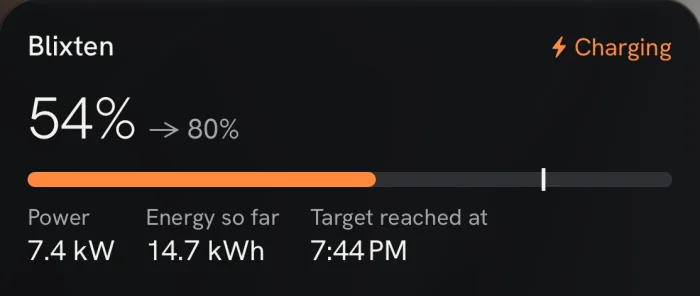
  • The level and its target, the power, the energy so far, and when the target is reached
  • Updated each time Runsten reads the car, once a minute at most. “Readings stopped” when the car no longer answers, then the final figures, the charge finished or interrupted. With Free, the car is read once an hour, and the charge is updated at that pace
  • Only figures go through Apple: never a place, an address or a position
  • On my.runsten.app, once the app may notify you. On by default, one switch per car in the app’s notification settings. Not on Android yet
Blixten’s charge on an iPhone’s lock screen: 54% towards 80%, 7.4 kW, 14.7 kWh so far, target reached at 7:44 PM.

A Runsten account

Runsten reads your car through its maker’s connection, set up on the web. The app signs in to your account and shows what it keeps.

my.runsten.app

Sign in on Runsten’s own page, in your phone’s browser: the app never sees your password. Hosted in Europe.

Create your account

Your own instance

Runsten is open source: give the app your instance’s address and a personal access token, created in its web interface under API access.

How to install it

What the app collects

No advertising, no tracking

No analytics, advertising or crash-reporting SDK, and no advertising identifier.

Your phone’s location

The app never asks for it: the maps show where the car was, as Runsten read it from its maker.

Your sign-in

Kept in the iPhone’s Keychain, or encrypted by Android’s Keystore. Signing out erases it, with the widgets’ figures.

What it changes

A trip’s purpose and, for a Tesla with Plus, the commands you send it. Nothing else in your car or your account.

The app in the privacy policy

Free, with your account’s plan

The app is free and sells nothing. It shows what your account holds: the last 30 days with Free, the whole history and the costs with Plus, which is subscribed on the web.

Works with Volvo, Polestar, Tesla, BMW and MINI cars, and in beta with Hyundai, Kia and Genesis.

See the prices

Apple, the Apple logo, iPhone, iPad and CarPlay are trademarks of Apple Inc., registered in the U.S. and other countries and regions. App Store is a service mark of Apple Inc. Google Play, the Google Play logo and Android are trademarks of Google LLC.