

Trips and charges
The Trips and Charges tabs list the events of a period, by day, newest first, under a line of totals: "3 trips started in the period · 73 km · 18.8 kWh/100 km (estimated)". Each line names where the event happened when a place or an address does: a trip from where to where, a charge where it took place. With a currency, a trip shows on its right what it cost, and below it its cost per 100 km (The cost of a trip). The period stays in the address of the page: a link to it opens the same list. Above each list, its CSV files: the events of the period, and every value the car reported over it (Exporting your data).
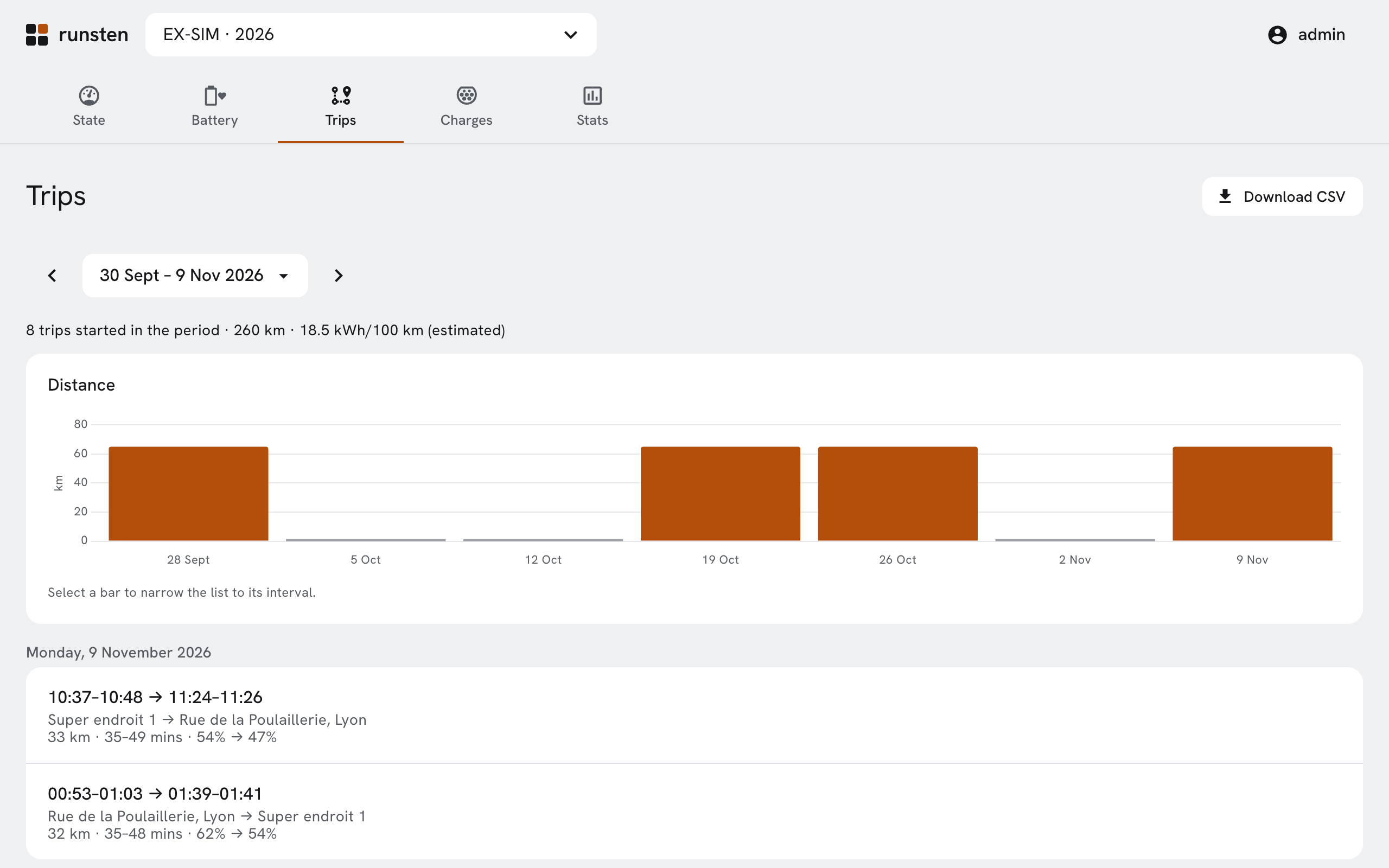
Where the car went
Under the totals, the Trips tab draws the period on a map: where its trips started and ended, and a line between two spots for the trips between them, thicker the more often they were driven, either way. A month shows the daily commute as one thick line, a year the whole area the car drives in. The ends within a place's circle are that place; the others are gathered around the same address (within 250 m). Runsten reads where a trip starts and ends, not the road it took: the lines are straight. Below the map, the journeys made more than once, the most frequent first, with their trips and their distance. A trip without a position (a reconstructed one) is counted apart. The map is the API's GET /vehicles/{vehicle}/trip-map.
The purpose of a trip
A trip made for work has to be declared: a mileage allowance, a company car's private use, an expense report. Each trip can be marked Business, Commute or Personal. Commute, the way between home and work, stands apart from Business: each country counts it its own way, as business in some, apart from it in others (a German logbook lists it on its own), so Runsten keeps it apart and leaves the sum to you.
- By hand: the button on the right of a trip in the list, or the Purpose card of its details. Select, above the list, puts a box before each trip, to mark several at once. A trip can also be marked None: it then has no purpose, whatever the places say.
- By a place's rule: a place gives the trips to or from it a purpose (Places, tariffs and costs), either those that end there (the way there, not the way back) or those that start or end there. "Trips ending at Office are Commute" marks every morning's drive at once. A trip marked by hand keeps its mark: the rule only marks the others, and says so ("auto", "From the rule of Office"). Only the rules that apply to a trip count: a rule on its end, and one on its start if that rule takes the trips starting there too. When two that apply disagree, the trip gets none: it is left for you to tell. Marked by hand, a trip can go Back to the rule.
A mark is yours, not derived: rebuilding the trips keeps it. Beside the period, the list keeps the trips of one purpose (or those Unmarked), its CSV file too, and the totals split the period's distance and cost by purpose. Report opens the period's trips of that purpose as a page to print, or to save as PDF from the browser: each trip with its date, where it started and ended, the odometer at both ends, its distance and its cost, and the totals.
Charges by place
Beside the period, the Charges tab chooses a place: one of your places, Elsewhere (a position outside every place) or No position. The list, its totals, its chart and its CSV file then hold the charges of that place only: "at home, over the last three months, 412 kWh for €61.20 – €64.80". A charge without a position is at the place that takes those, if you marked one (Places, tariffs and costs), never a DC one. The place stays in the address of the page, with the period; in the statistics, selecting a place's bar opens the same list.
Reading the times
The car is read every few minutes, never continuously. So a time is the two readings around it:
- "06:55–07:01 → 07:40": the trip started between 06:55 and 07:01, and ended at 07:40. Two readings up to two minutes apart give one time, the nearest minute to their middle: two neighbouring minutes would tell nothing worth reading.
- A Tesla parked a few minutes is left alone for 15 minutes, so that it may fall asleep: reading it keeps it awake and drains its battery. A trip started meanwhile is seen at its first reading on the way, and its start spans the window: "20:35–20:50".
- A duration is every value those bounds allow: "38–45 min".
- A trip that never moved, the car put in drive and back without its odometer or its position changing (to unplug, say), is not a trip.
- A reconstructed event was never seen: the car drove or charged while nothing could be read (an outage, an exhausted quota), and the odometer or the state of charge revealed it afterwards. It says so, "Happened between 12:00 and 13:00", and has no duration.
A value the car did not give says Unknown, never 0.
Imported trips and charges
A vehicle's history may start before Runsten read it: trips and charges imported from another app (Importing your history) are marked with it, "Imported from Aximote", "Imported from the Volvo Data Portal" or "Imported from AAOS Logging". Only what started before Runsten's first reading of the vehicle is imported, so they never duplicate the events Runsten saw. Their times and figures are the app's own: one time at each end, never a range, and the energy and cost it gave, when it gave them. A charge's cost is the app's when it is in your currency, else its place's tariff's.
An imported trip with a track draws it on its map, where your instance shows maps and you have not hidden them; otherwise, as a trip Runsten read, it has its two ends only: Runsten draws no track of the trips it reads.
They count in the lists and the statistics like the others. The vehicle's settings list them by app, in Import, and delete one app's at once; what Runsten read stays.
Energies
The energy of a trip or a charge is an estimate: the change of the state of charge times the battery's capacity. Runsten uses the net (usable) capacity of the vehicle's model when it knows it, else the capacity the car reports, if it reports one (Vehicle models). Each trip and charge tells which.
A Tesla also measures the energy that goes into its battery during a charge: the charge shows it first, measured by the vehicle, beside the two estimates.
A charge
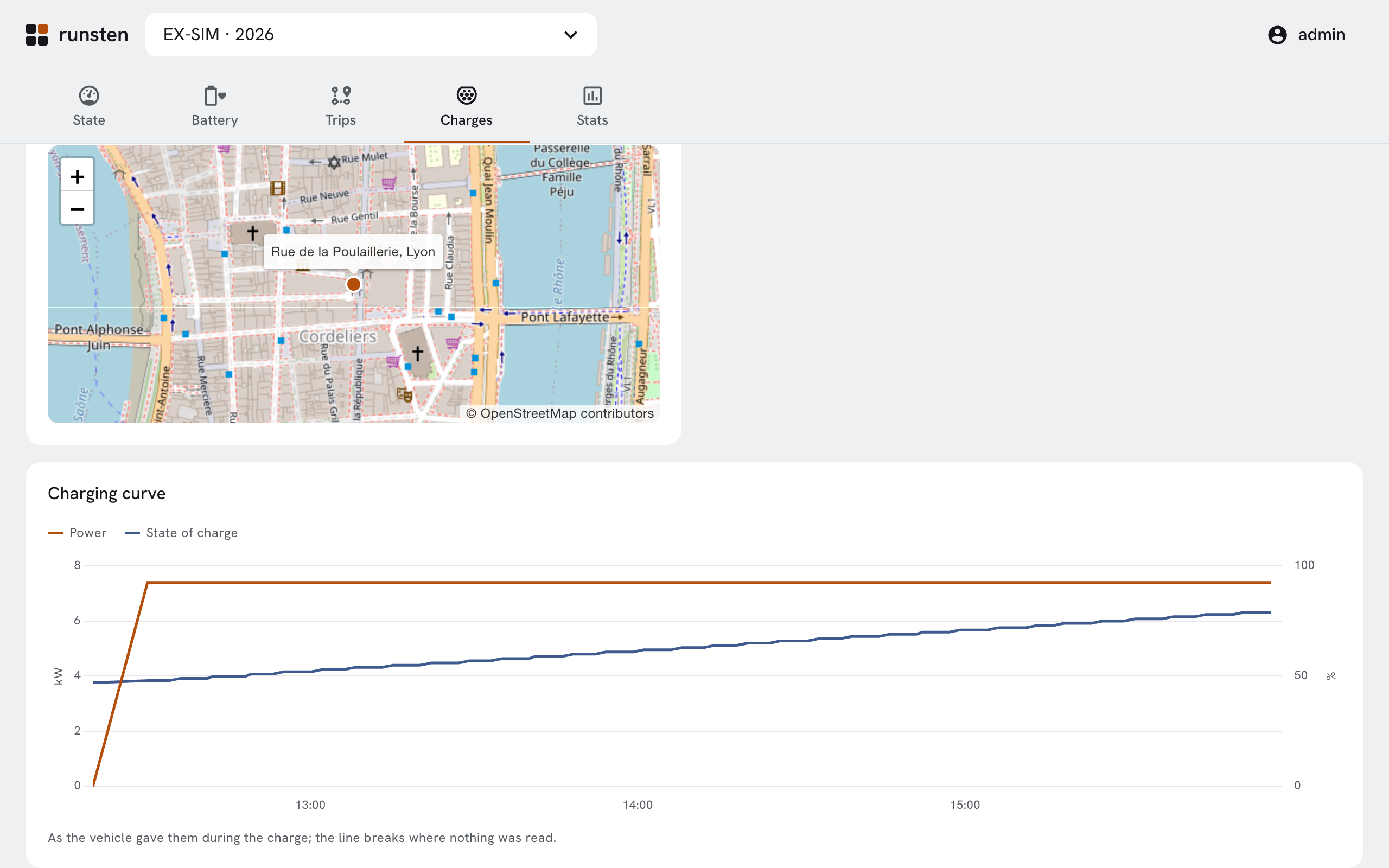
A charge shows its curve first, the power and the state of charge over its time, then its figures: its type (AC or DC), its energy, its place (or "Outside any place") and, once a currency is chosen, its cost. For a car that tells its current (a Tesla on AC, a Polestar), it shows the highest current read during the charge and, for a Tesla, the phases it drew on: a charge on three phases from one on a single phase. A Volvo tells neither. See Places, tariffs and costs.
A charge in progress
While the car charges, the Charges tab shows the charge first, under Now, marked In progress: since when, the state of charge from its start to now, the energy added so far and, at a place with a tariff, its cost so far. It leads to its details, which the vehicle's page links to as well, under Charging, read again every minute: the power now, the energies so far, the cost so far and the charge curve up to the latest reading. It is not yet a charge of the list: the totals and the statistics count it once it is over. Then the same page shows the charge as it ended, with its end and its duration, without leaving it.
If nothing has been read for 15 minutes (the collector stopped, or lost the car), it no longer says In progress but Readings stopped, and when it was last read: the charge may have ended since, unseen. It shows the charge as it was at that reading, never as if it went on.
A charge that stops with the cable still connected, and starts again before it is unplugged, is one charge: a solar charge, which stops and starts again with the sun, or a charge the car tops up later. Until it starts again, it shows as ended where it stopped. Unplugged, driven, or stopped for 24 hours or more, the next charge is a new one.